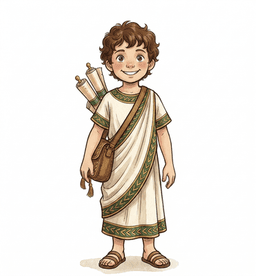
Best Typing Programs for Homeschoolers in 2026: A Classical Family's Honest Guide
By John Thieszen · April 3, 2026 · 6 min read
If you're a homeschool parent, typing probably isn't the first thing on your mind. Latin conjugations, timeline memorization, math facts — those feel more urgent. But here's the thing: typing is the skill that makes every other subject easier. A child who can type fluently spends less time fighting the keyboard and more time learning.
We've tried most of the popular options with our kids. Here's what we found — and why we ended up building our own.
The Problem With Most Typing Programs
Most typing tools fall into two camps:
Camp 1: Free and functional, but soulless.Your child stares at a gray screen, types “asdf jkl;” forty times, and earns a certificate that means nothing to them. They learn proper form, technically, but they dread every session.
Camp 2: Fun and flashy, but shallow.Racing games, cartoon characters, neon colors. Kids beg to play — but they're optimizing for speed, not technique. Six months later, they're fast two-finger typists with bad habits baked in.
What's missing is a typing program that teaches proper technique while making kids feel like they're doing something meaningful. Not arcade fun. Not drill-sergeant discipline. Something that feels like a craft worth mastering.
How the Top Programs Compare
Typing.com
Best for: Schools and budget-conscious families who want variety.
Typing.com offers a massive library of lessons, games, and certificates. It's free (with ads) and works well for classrooms. The weakness is that it feels generic — your child is one of millions clicking through the same interface. There's no narrative, no sense of journey. It teaches typing. It doesn't inspire it.
TypingClub
Best for: Structured learners who want video instruction.
TypingClub is clean, well-organized, and has excellent progress tracking. Teachers love it. But it's utilitarian — functional rather than beautiful. For a child who already resists screen time for schoolwork, TypingClub doesn't offer much reason to come back voluntarily.
Typesy (Homeschool Edition)
Best for: Homeschool families who want a dedicated curriculum.
Typesy is the current favorite among homeschool reviewers, and for good reason. It has 1,500+ lessons, video teaching, an avatar system, and a solid multi-child dashboard. It's the most complete standalone typing curriculum available. The trade-off is that it feels a bit corporate — polished but not personal. At $67–97 for a lifetime license, it's a reasonable investment.
Dance Mat Typing / ABCya / Keyboarding Zoo
Best for:Very young children (ages 3–7) who need something colorful and simple.
These free browser games are great for first exposure. But they're arcade experiences, not curricula. Short sessions, no progression tracking, no parent visibility. Your child will outgrow them quickly.
Nitro Type
Best for: Competitive kids who thrive on multiplayer racing.
Nitro Type is addictive — kids race each other in real-time typing battles. It's genuinely fun. But it rewards speed over accuracy, teaches no proper technique, and the multiplayer format means your child is practicing against strangers online. For some families, that's fine. For others, it's a dealbreaker.
What We Built: Via Latina's Scribe's Practice
When we started building Via Latina as a study companion for classical education families, we realized typing was a natural fit. Our kids were already practicing Latin, geography, and timeline in the app — why not let them practice typing with the same content?
But we didn't want to build another drill tool. We wanted typing to feel like what it actually is: the modern version of learning to write with a quill and ink.
Here's what makes Scribe's Practice different:
- It looks and feels like a craft, not a chore. The watercolor parchment backgrounds, ink-flow animation on correct characters, and golden borders on typing streaks give every session a sense of beauty. Most typing programs look like software. Ours looks like a scriptorium.
- The Scribe's Rank system gives real progression. Your child starts as a Novice Scribe and works through 12 levels. Golden Laurels are earned at milestones — not participation trophies, but genuine markers of mastery.
- Age adaptation that actually works.Young learners (ages 4–7) get tappable runes — large, friendly letters they can tap to learn key positions with no reading required. Older students get proper WPM tracking, finger guides for correct technique, and progressively challenging content.
- Every session connects back to learning.After a typing session, quest-bridge links connect to the child's current Latin practice, geography drills, or weekly review. Typing isn't isolated — it's woven into the larger adventure of classical learning.
- Parents can see real progress.WPM trends, accuracy tracking, and session history give you actual data — not just “your child completed a lesson.”
Honest Assessment
Is Via Latina's typing the most feature-rich option? No. Typing.com has more mini-games. Typesy has more raw lesson volume. Nitro Type has multiplayer.
But in terms of beauty, motivation, and making children feel like they're becoming skilled at something meaningful — we believe it's the best option available for homeschool families right now. Independent reviewers have placed it in the top tier of the homeschool typing space, ahead of most free tools and competitive with the best paid programs.
And unlike standalone typing programs, it comes bundled with Latin practice, geography games, timeline drills, spaced repetition, and 29 interactive learning games across all 7 classical subjects. Your family gets a complete study companion, not just a typing tutor.
Try Scribe's Practice free
10 free practice sessions per day, no account needed. Use code SPRING50at checkout for 50% off any plan. Built by a homeschool family in Colorado — no ads, no data tracking.
Start Typing Practice Free